Introducing 3D Object Support for Interactive Maps
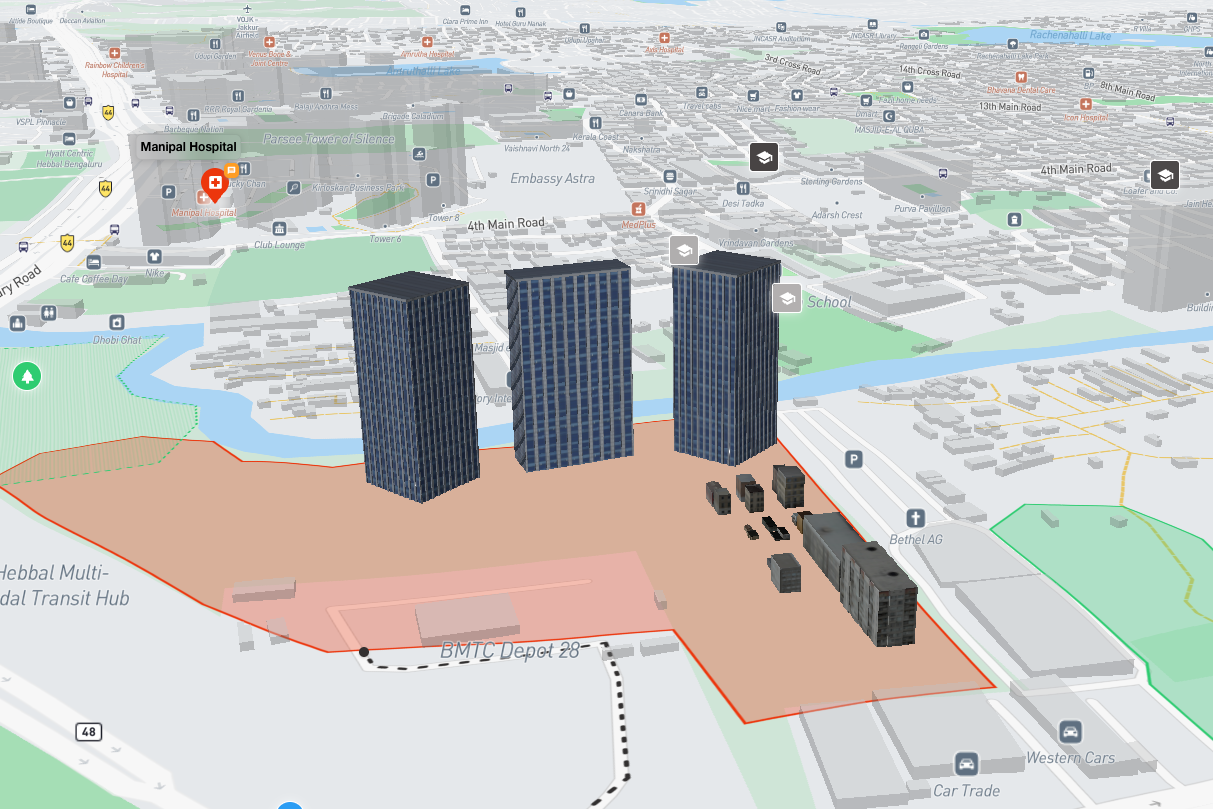
We're thrilled to announce one of our most requested features: the ability to add custom 3D objects to your MapQube maps. This powerful new capability opens up endless possibilities for creating immersive, interactive mapping experiences.
What You Can Do
With 3D object support, you can now:
- ✓ Add buildings and structures - Place accurate 3D models of buildings, monuments, and architectural features on your maps
- ✓ Upload custom models - Import your own 3D models in popular formats including OBJ, GLTF, and FBX
- ✓ Create immersive experiences - Build virtual tours, real estate showcases, and interactive city guides
- ✓ Customize appearance - Control scale, rotation, texture, and lighting for perfect integration
How It Works
Adding 3D objects to your maps is incredibly simple. Navigate to your map editor, click on the new "3D Objects" tab, and either choose from our growing library of pre-built models or upload your own. Once placed, you can position, scale, and rotate objects with intuitive controls.

                    // Example: Adding a 3D object via API

                    map.add3DObject({

                      modelUrl: 'https://your-domain.com/model.gltf',

                      position: { lat: 40.7128, lng: -74.0060 },

                      scale: 1.5,

                      rotation: { x: 0, y: 45, z: 0 }

                    });
Use Cases
Real Estate
Create stunning property showcases with 3D building models. Help potential buyers visualize properties in their actual locations with accurate architectural representations.
Tourism & Hospitality
Build interactive city guides with 3D landmarks and attractions. Give visitors a preview of destinations before they arrive.
Urban Planning
Visualize proposed developments in context. Share planning proposals with stakeholders using accurate 3D representations.
Education
Create interactive learning experiences. Show historical buildings, geographical features, or scientific concepts in an engaging 3D format.
Performance & Optimization
We've built this feature with performance in mind. Our rendering engine uses:
- Automatic level-of-detail (LOD) optimization
- Lazy loading for improved initial page load
- WebGL acceleration for smooth rendering
- Smart caching to reduce bandwidth usage
Getting Started
3D object support is available now for all Pro and Enterprise plan users. Free plan users can preview the feature with up to 3 objects per map.
Check out our documentation for detailed tutorials and best practices, or visit your dashboard to start uploading your models today.
💡 Pro Tip
For best results, optimize your 3D models before uploading. Keep polygon counts under 50,000 and compress textures to reduce file size while maintaining quality.
What's Next?
This is just the beginning. We're already working on exciting enhancements including:
- Animated 3D objects
- Physics simulations
- Real-time collaboration on 3D placement
- AR preview on mobile devices
We can't wait to see what you create with this new feature. Share your amazing 3D maps with us on social media using #MapQube3D!
Ready to add 3D objects to your maps?
Upgrade to Pro to unlock unlimited 3D object placement.
Upgrade Now